
-30%
Jamaican Black Castor Oil



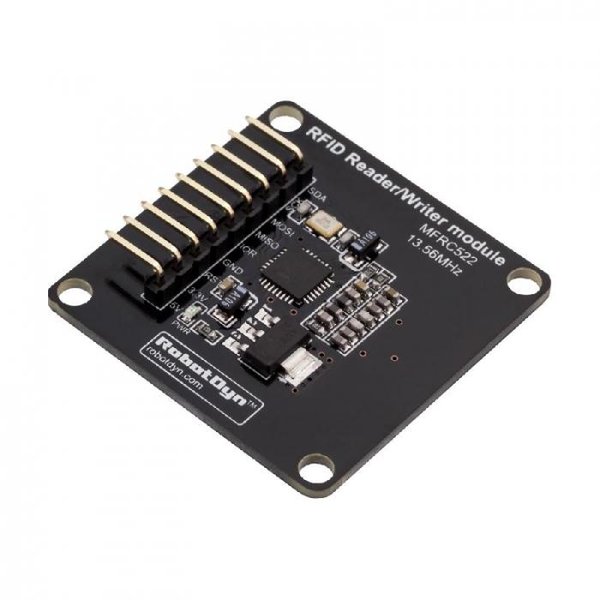
DescriptionThis RFID modules base on MFRC522 IC and that can read and write Mifare’s tags. The microcontroller and card reader uses SPI for communication. The card reader and the tags communicate using a 13.56MHz electromagnetic field.Feature:This RFID modules base on MFRC522 IC and that can read and write Mifare’s tags. The microcontroller and card reader uses SPI for communication. The card reader and the tags communicate using a 13.56MHz electromagnetic field. The RFID MFRC522 module supports MF1xxS20, MF1xxS70 and MF1xxS50 tags. The RFID MFRC522 module supports contactless communication and uses MIFARE higher transfer speeds up to 848 kBd in both directions. RFID MFRC522 have compact design and small size 36x36mm. Power can supply 3.3V or 5V. This easy for connection to board with 5V, not need power regulator for 3.3V. The antenna is built into the board. And it has a good sensitivity to a height of 25mmGetting started with the RFID Reader/Writer NFC module MFRC522 13.56MHzin this Tutorials we are going to deal with RFID Reader/Writer NFC module this is simple and easy to connect with arduino where going to read the the RFID card target ID and print them to the serial Monitor and you can do different things using this RFID card reader so let’s startStep1: Hardware requiredArduino UNORFID Reader/Writer NFC moduleJumper wiresStep2: Connecting the HardwareRC522 module Arduino Uno,Nano Arduino Mega SDA (SS) 10 53 SCK 13 52 MOSI 11 51 MISO 12 50 IRQ Not connected Not connected GND GND GND RST 9 9 3.3V 3.3V 3.3VStep3: Setting up the libraryso before readin the RFID card tag we must have the library, so you can download it here. install the library by extracting that zipped file in the library folder as shown belowStep4: Upload the sample sketchopen the sample sketch that is located in file>examples>RFID>cardRead. and upload it. as shown belowStep5: Testing the circuitopen your serial monitor by clicking on the icon in the right top corner(like search icon) slash your card to the RFID reader you will receive the card ID. see the picture below something like that